Send
Patrons can send photos and documents to our print kiosks via one of the following methods:
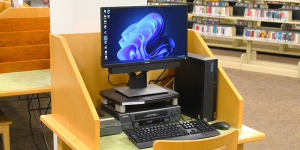
- Using our public access PCs
- Upload files directly from your device
- Send files via email
- Download the ePRINTit app
Pick Up
Visit one of our print kiosks to scan your library card, guest pass, or enter your username to access your print queue.
Patrons with print jobs in excess of 60 pages should consult the circulation desk prior to printing
Pay
All print jobs are $0.20 per page. Costs must be paid in full at our kiosks before the print job is released. Payments can be made with cash or credit card.
Printing Services at a Glance
Print & Copy Pricing
$0.20 / Page for both Black & White or Color Printing
Supported Paper Sizes
- Letter (8.5” x 11”)
- Legal (8.5” x 14”)
- Ledger (11” x 17”)
Printing Methods
Print from any of our Public PCs
Print from USB drives
Upload documents for printing via our Web Printing service
Email your documents as attachments to color-bartlettpld@eprintitsaas.com
- The ePRINTit app
Additional Services
Scan-Text-to-Audio
Text Translation
Scan & Fax
Scan-to-Copy ($0.20 / Page)
Scan-to-USB
Scan-to-Email
Scan-to-One Drive
Scan-to-Google Drive
Scan-to-Dropbox
Scan-to-Fax ($1 first or single page, $0.50/page for additional pages)
Scan-to-Smart Phone
Web & Mobile Printing
Upload Files Online
Using our web printing service, upload any photos or documents you would like to print, then choose a paper size and color option. Finally, set a username and click submit to send your print job.
Enter your username at a printing kiosk at the library to retrieve your print job.
Send Via Email
Attach any files directly to an email message and send them to our printer at the following email address.
You will receive a confirmation email with an access code. Enter your access code at any printing kiosk to retrieve your print job.
Use the ePRINTit App
Download the ePRINTit SaaS app to your mobile device and search for the Bartlett Public Library District. Once you have selected our library, follow the on-screen guides to select your documents and send the print job.
During your next library visit, enter the username or ID you set in the app to retrieve your print job from any of our printing kiosks.
Other Technology Services
Public Computers
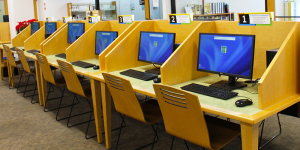
Available to both library card holders and non-card holders for sessions of up to one hour. To receive a guest pass, speak to the circulation desk or a youth librarian.
Youth iPads
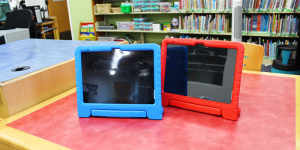
VHS to DVD converter